بعد إجراء تحديث على سيرفر كاسبر للحماية ذور الاصدار المحلي على السيرفر والذي يحمل الاصدار Kaspersky Security Center 13
تظهر هذه الرسالة (The Kaspersky Security Network Statement is not supported by the policy) على الاجهزة الطرفية المتصلة بكاسبر.
لحل هذه المشكلة اتبع التعليمات التالية:
Error “The Kaspersky Security Network Statement is not supported by the policy” after updating Kaspersky Endpoint Security for Windows
Issue
After updating Kaspersky Endpoint Security for Windows, the critical status “The Kaspersky Security Network Statement is not supported by the policy” appears.
Cause
The management plug-in that is installed in Kaspersky Security Center is not compatible with the version of Kaspersky Endpoint Security for Windows.
Solution
Check the version of the management plug-in in Kaspersky Security Center:
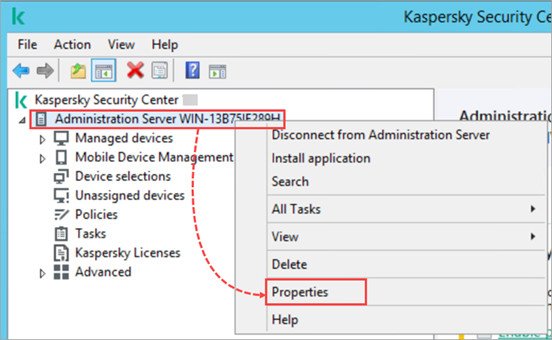
1. Right-click the Administration Server and select Properties.
- Go to Advanced → Details of application management plug-ins installed. Сheck whether the installed plug-in version matches the updated version of Kaspersky Endpoint Security for Windows.
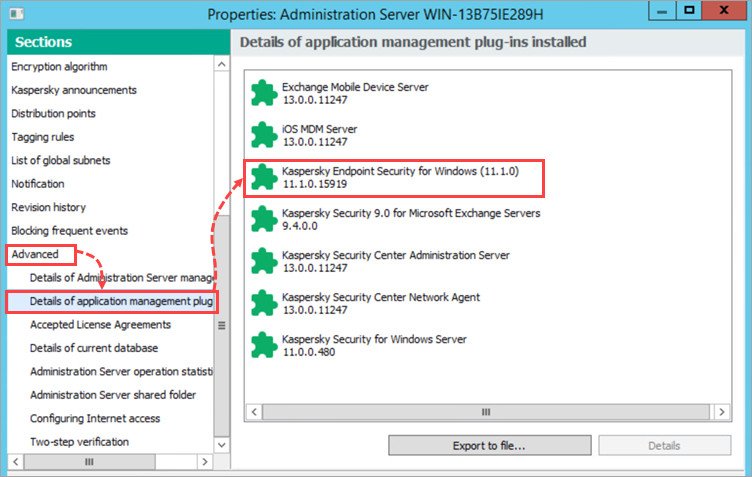
If the management plug-in for the new version of Kaspersky Endpoint Security for Windows is not installed, update the plug-in version using these instructions.
If the management plug-in for the new version of Kaspersky Endpoint Security for Windows is already installed:
1. Make sure that Kaspersky Security Network is enabled in every policy and the Kaspersky Security Network statement is accepted:
a: Go to Policies and open the properties of the Kaspersky Endpoint Security for Windows policy.
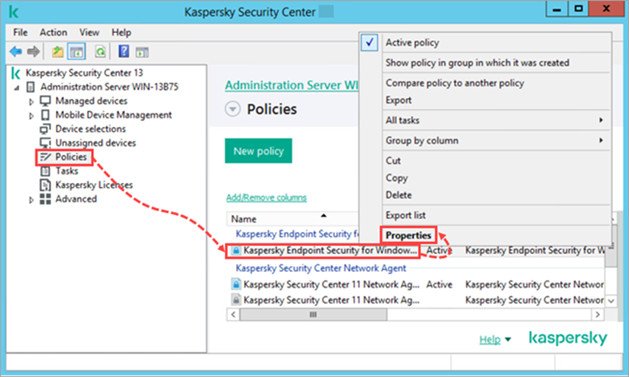
b: Go to Advanced Threat Protection → Kaspersky Security Network and select the Kaspersky Security Network checkbox.
c: Read the Kaspersky Security Network Statement carefully. If you agree with the statement, select I agree to use Kaspersky Security Network and click ОК.
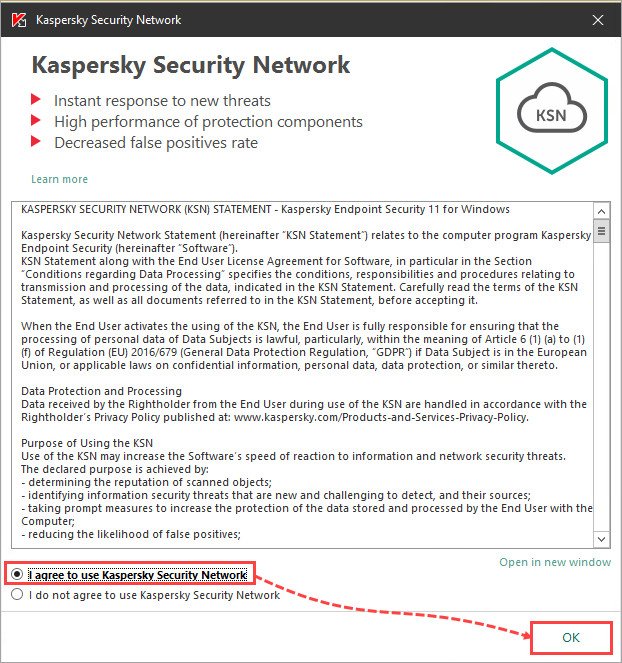
d: Click ОК to apply the changes.
If Kaspersky Security Network is already enabled and the statement is accepted, clear the I agree to use Kaspersky Security Network checkbox and select it again. Check whether the issue occurs again.
2- Make sure that the managed device is connected to the Administration Server.
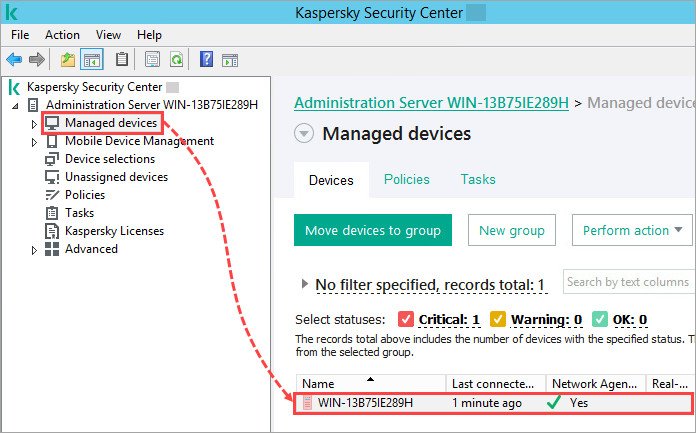
To connect the device to the Administration Server, follow these instructions.
What to do if the issue persists
If the issue persists, collect the diagnostic data and submit a request to Kaspersky Technical Support via Kaspersky CompanyAccount.